
Feature
Call and WhatsApp buttons for your business page
Every Blinx page has a Call now button in the bar along the bottom of the screen, and a Directions button on its map, on every plan. On Pro, and during the trial, one big Call now button shows your number near the top of the page, with Book, WhatsApp or Message, and Directions under it.
On the basic plan that row is hidden: Call now stays in the bar, and the WhatsApp button reads Message and opens your enquiry form, so nobody meets a dead end.
What your customer sees
They see Call now and your number
On Pro a big Call now button with your number on it sits near the top of your page. As they scroll, Call now waits in the bar along the bottom of the screen, on every plan.
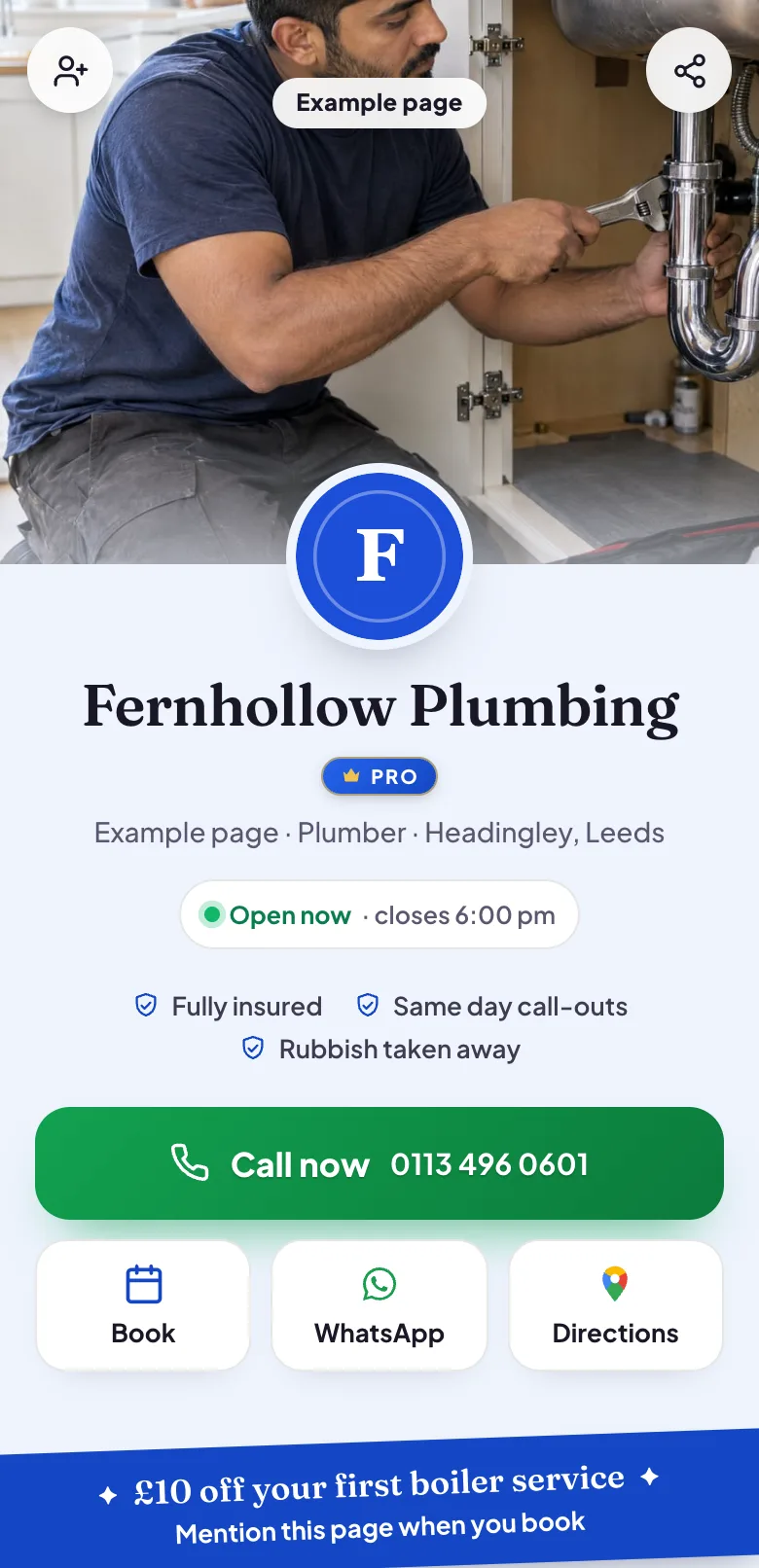
Example page, made by Blinx: the first screen on Pro, with the big Call now button and Book, WhatsApp and Directions under it. One tap rings you, or opens WhatsApp
A tap on Call now rings the number on your page. On Pro, with your WhatsApp number on your page, the WhatsApp button opens a chat with you in their WhatsApp.
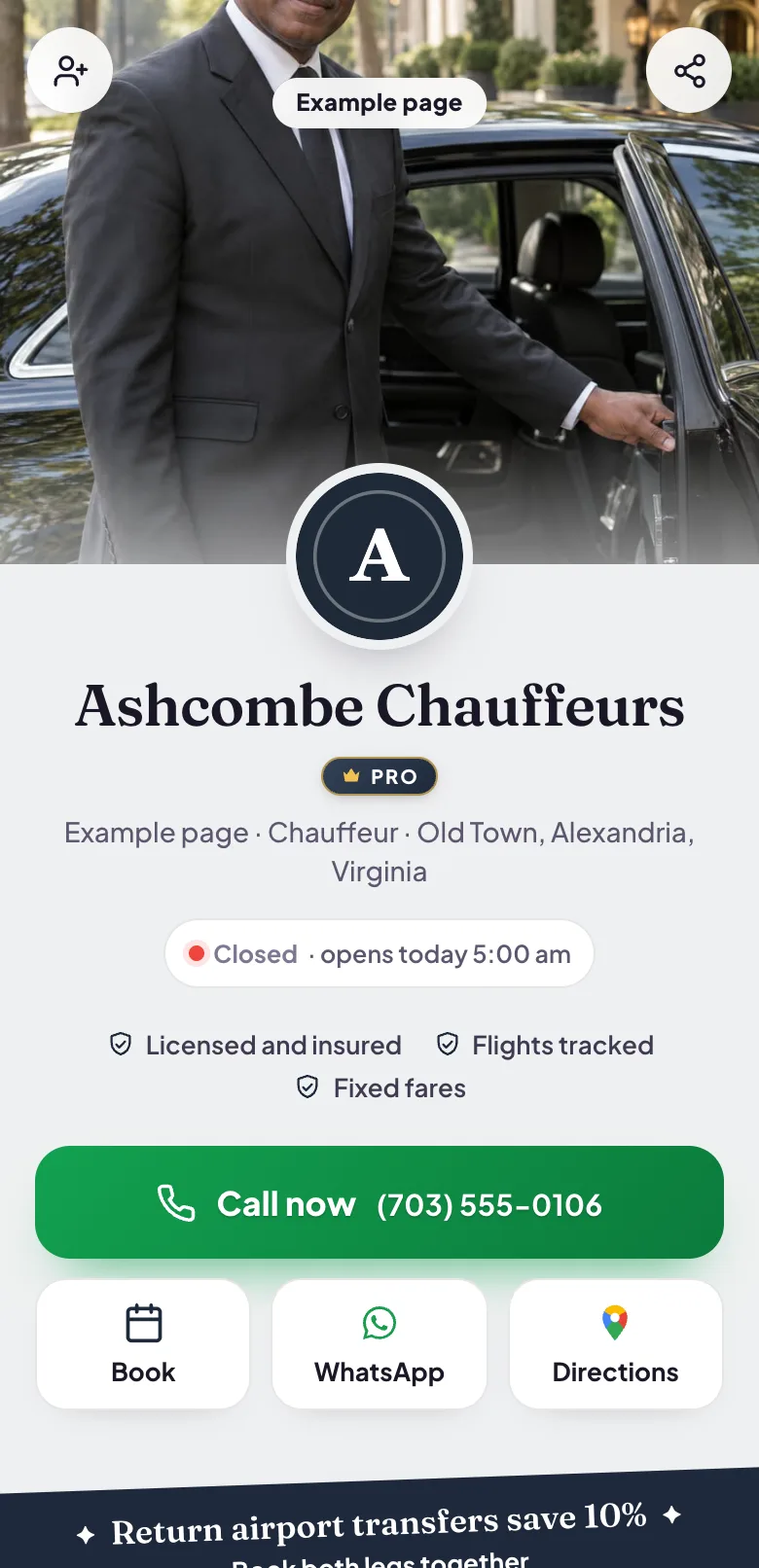
Example page, made by Blinx: Call now, with Book, WhatsApp and Directions under it. Directions to your door
The Find us map shows where you are, and its Directions button opens Google Maps with the way to your address.
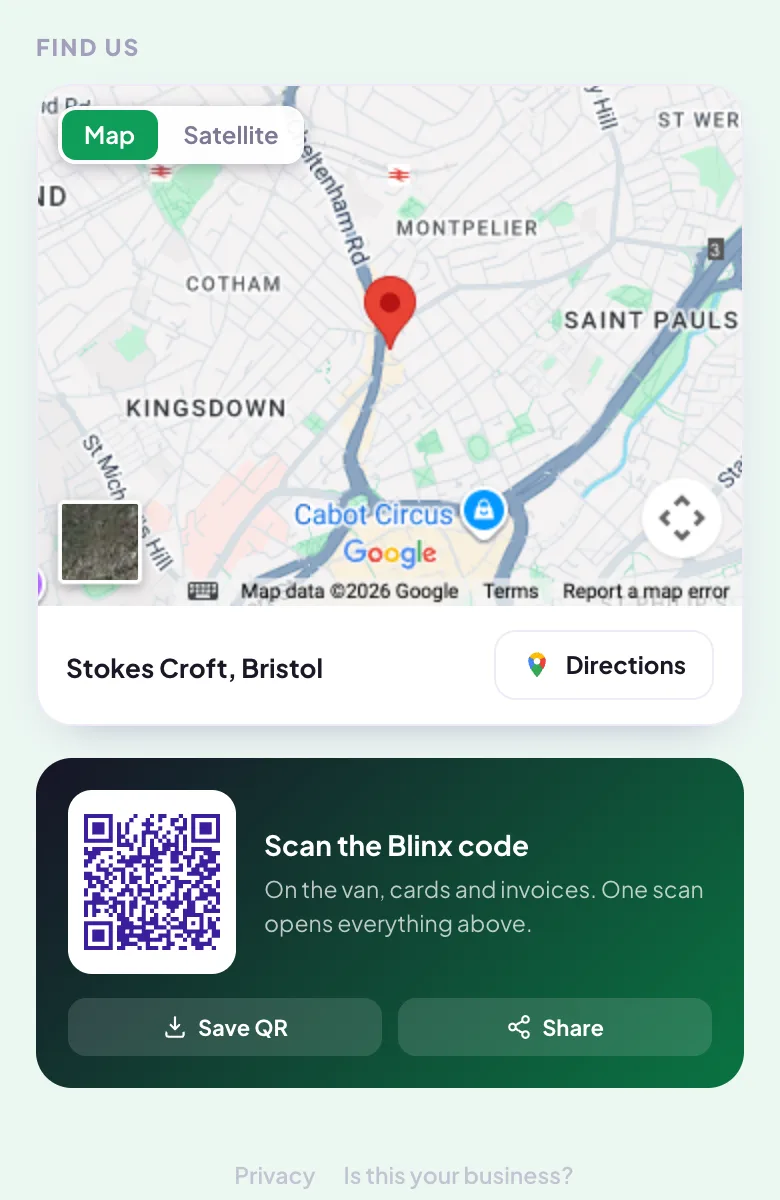
Example page, made by Blinx: the Find us map with its Directions button, and the page's QR code under it.
What you see
Calls ring your own phone and WhatsApp chats arrive in your own WhatsApp: the customer's phone does the rest, and Blinx is not in the middle.
You add your phone number and your WhatsApp number in the editor, each beside a dialling code box showing your country's flag and code. Blinx keeps each number in a form that dials from any country.
Every tap is counted. Your page's activity shows views, QR scans and taps on Call, WhatsApp, Directions, Booking and Website over the last 7 days, without names. A tap is not a lead: somebody becomes one when they send an enquiry or a booking request, with their name and number. On Pro you see who: enquiries in your leads inbox, and booking requests in your diary.
Which plan
Call and Directions are on every plan. WhatsApp, and the row of contact buttons near the top of the page, are on Pro, and on every page during its trial.
| On your page | ProDuring the trial, and when you go Pro | BasicAfter the trial, at no charge |
|---|---|---|
| Call button | Yes | Yes |
| Directions and map | Yes | Yes |
| Your page's views and taps | Yes | Yes |
| WhatsApp button | Yes | A Message button that opens your enquiry form instead |
| Contact buttons near the top | Yes | Hidden; Call stays in the bar along the bottom |
If you stop paying, your page stays
Your page stays live on the basic plan and nothing is deleted. The Pro features come back when you go Pro again.
What it does not do
- Calls go straight to your own number. Blinx does not record calls, and does not give you a phone number of its own.
- Your page has no chat window. On Pro the WhatsApp button is the chat, and the enquiry form takes a written message on every plan.
- No WhatsApp button is drawn for a number Blinx can tell is a landline, such as a UK or Australian one.
- No Call button is drawn for a number that cannot be dialled.
By trade
- Website for chauffeurs: Call now on the first screen, with WhatsApp beside Book and Directions on Pro.
- Website for plumbers: on Pro, the big Call now button, and Call now in the bar along the bottom on every plan.
- Website for locksmiths: one tap rings the number on the page, from any phone.
- Website for electricians: Call and Directions, and WhatsApp on Pro, each one tap away.
Questions about calls and WhatsApp
Do customers need WhatsApp to contact me?
No. The Call now button rings your number from any phone, on every plan, and the enquiry form takes a name, a number and a message from anybody with a browser. WhatsApp is one more way in: on Pro, with your WhatsApp number on your page, the WhatsApp button opens a chat with you in the customer's own WhatsApp.
What happens to my WhatsApp button after the trial?
If you do not go Pro, your page carries on with the basic plan and the button reads Message instead. It opens your enquiry form, so the customer can still get in touch, and their enquiry waits in your inbox. Your WhatsApp number stays saved, and the WhatsApp button comes back the day you go Pro.
Can I use a landline for WhatsApp?
On Pro, Blinx draws the WhatsApp button for a mobile number, and leaves it off for a number it can tell is a landline, such as a UK or Australian one. A landline is fine for your Call now button. Without a WhatsApp button, while your enquiry form is switched on, the message button on your page reads Message and opens the form instead.
Will I know who tapped Call?
No. A tap on Call is counted in your page's activity, with the views, QR scans and other taps of the last 7 days, but it carries no name or number. The call itself reaches your phone like any other call. Somebody becomes a lead in your inbox when they send an enquiry or a booking request.
Which number does the Call button ring?
The phone number on your page, which you set in the editor beside a dialling code box showing your country. Blinx keeps it in a form that dials from any country, so a customer abroad reaches you too. If a number cannot be dialled, no Call button is drawn, rather than one that rings the wrong place.
Try Blinx for 15 days
Your page, filled from your Google listing, ready to share as a link or a QR code.
15-day trial, no card. Nothing is deleted if you stop.