
Feature
Opening hours that say if you are open right now
Your page says Open now with today's closing time, or Closed with when you next open, on your business's own clock, on every plan. It is worked out afresh each time somebody opens your page.
A tap shows the whole week, today first, and the same hours set the times customers can ask to book.
What your customer sees
Open now, or when you next open
Near your name, a pill says Open now and when you close today, or Closed and when you next open: later today, tomorrow or on a named day.
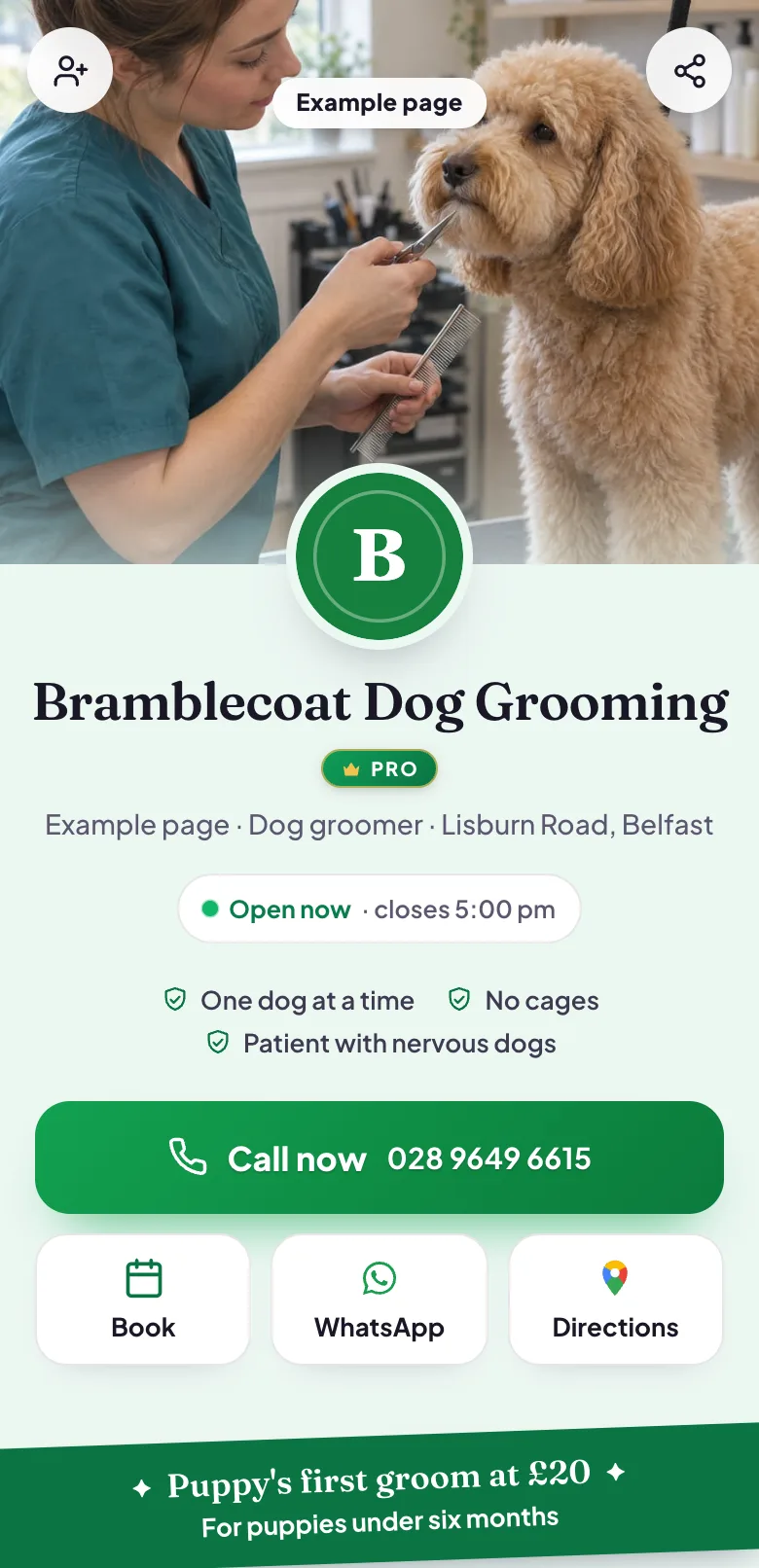
Example page, made by Blinx: under the name, whether it is open now, with the time it closes or opens. The whole week
A tap on it opens the week's hours, starting with today: each day's opening and closing time, or Closed.
Booking times inside your hours
Book an appointment offers times inside those hours, and none on a day you are closed.
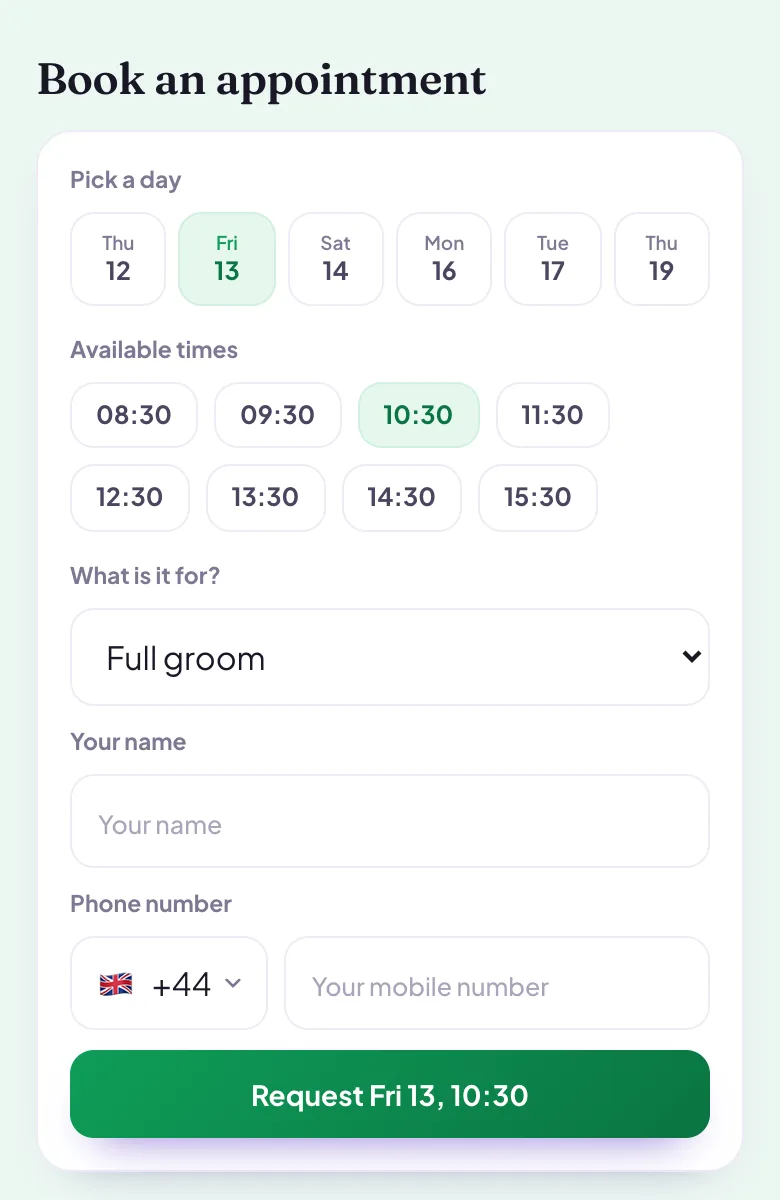
Example page, made by Blinx: the same page's Book an appointment, showing the times one day offers.
What you see
In the editor, Opening hours: for each day, an opening time and a closing time, or closed. If you set your page up from your Google listing, your hours come across from it, and you can change them whenever you like.
Open or closed is worked out on your business's own clock, wherever the person reading your page is. A range that runs past midnight shows as open until it closes. Where your page has no time zone, it still lists the week, and leaves out the open now line rather than guess.
Your hours also set your booking times: a customer can ask for a time inside them, and none on a closed day.
Which plan
Opening hours, and whether you are open right now, are on every plan.
| On your page | ProDuring the trial, and when you go Pro | BasicAfter the trial, at no charge |
|---|---|---|
| Opening hours, open or closed now | Yes | Yes |
If you stop paying, your page stays
Your page stays live on the basic plan and nothing is deleted. The Pro features come back when you go Pro again.
What it does not do
- One opening and one closing time a day: there are no split shifts or lunch breaks.
- There are no holiday or special hours. For a bank holiday, change that weekday's hours, and change them back after it.
- Hours from Google with a break in the day come across as one range, from the first opening to the last closing.
- No open now line on a page without its time zone.
By trade
- Website for restaurants: open now, or when you open next, on your own clock.
- Website for locksmiths: hours that run past midnight shown as open until you close.
- Website for barbers: open or closed now, and booking times inside your hours.
- Website for dentists: the week's hours, today first, one tap away.
Questions about opening hours
Which time zone does my page use?
Your business's own. Blinx works out open or closed on your clock, wherever the person reading your page is, so a customer abroad sees whether you are open where you are. Where a page has no time zone, it lists the week's hours and leaves out the open now line rather than guess.
Can I show lunch breaks or split shifts?
No. Each day has one opening time and one closing time, or is closed. If your Google listing has a break in the day, it comes across as one range, from the first opening to the last closing, and you can change it in the editor whenever you like.
What about bank holidays?
There are no holiday or special hours. For a day you will be closed, or open different hours, change that weekday's hours in the editor before it, and change them back after it. Your page and your booking times follow whatever the hours say at the time.
Do my hours affect bookings?
Yes. The times customers can ask to book come from your opening hours: none on a closed day, and the last one leaves room for the appointment before you close. Without opening hours your page offers no booking times, and the booking section stays hidden until you set them.
Try Blinx for 15 days
Your page, filled from your Google listing, ready to share as a link or a QR code.
15-day trial, no card. Nothing is deleted if you stop.