Blinx gives a plumber one mobile page where a customer with a leak can call you, message you, see your prices and find out whether you are working right now, each in one tap. It costs $5 a month or $46.80 a year, plus VAT at 20% for UK businesses, after a 15-day trial with no card.
Plumbing work usually starts with something going wrong: a leak under the sink, no hot water, a toilet that will not stop running. The person searching is standing in a wet kitchen with a phone in one hand, and they want a plumber who picks up today, not a form that promises a reply next week.
The planned jobs start more calmly. A dripping tap, a radiator that stays cold, a bathroom someone wants refitting in the spring. Those customers compare two or three plumbers, look at what each one does and roughly what it costs, and get in touch with the one who looks easiest to deal with.
Either way the choice is made on a phone, from a search result, a card through the door or the side of a van, and the plumber whose number is easiest to reach gets the call.
How a Blinx page helps plumbers
Call first
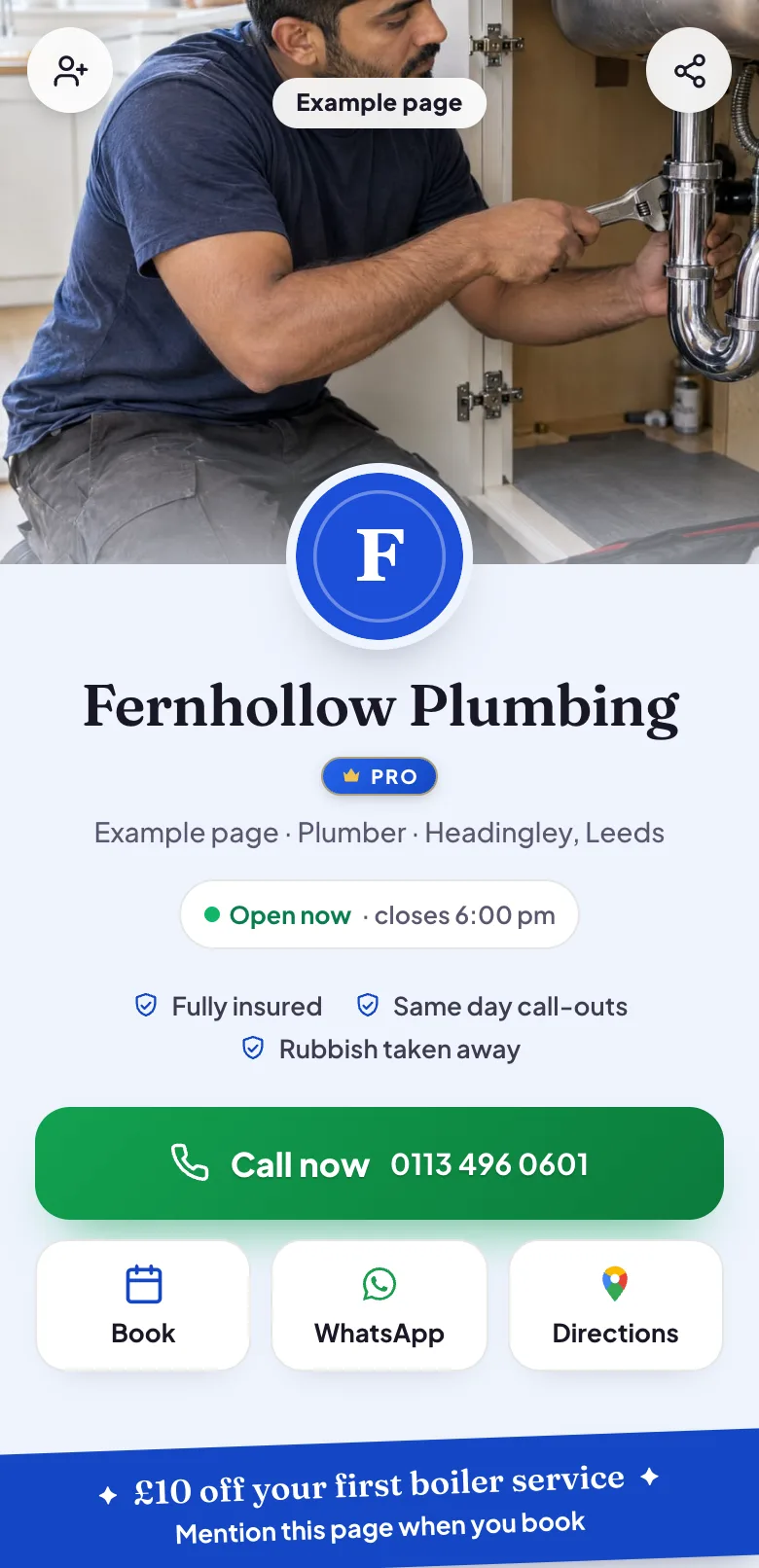
The Call button sits in a bar along the bottom of the screen the whole way down the page, so somebody with water coming through the ceiling never has to hunt for your number.
Open or closed right now
Your opening hours show whether you are working at this moment and when you start again, so a customer at seven in the evening knows whether to ring or to send a message for the morning.
Prices people ask about
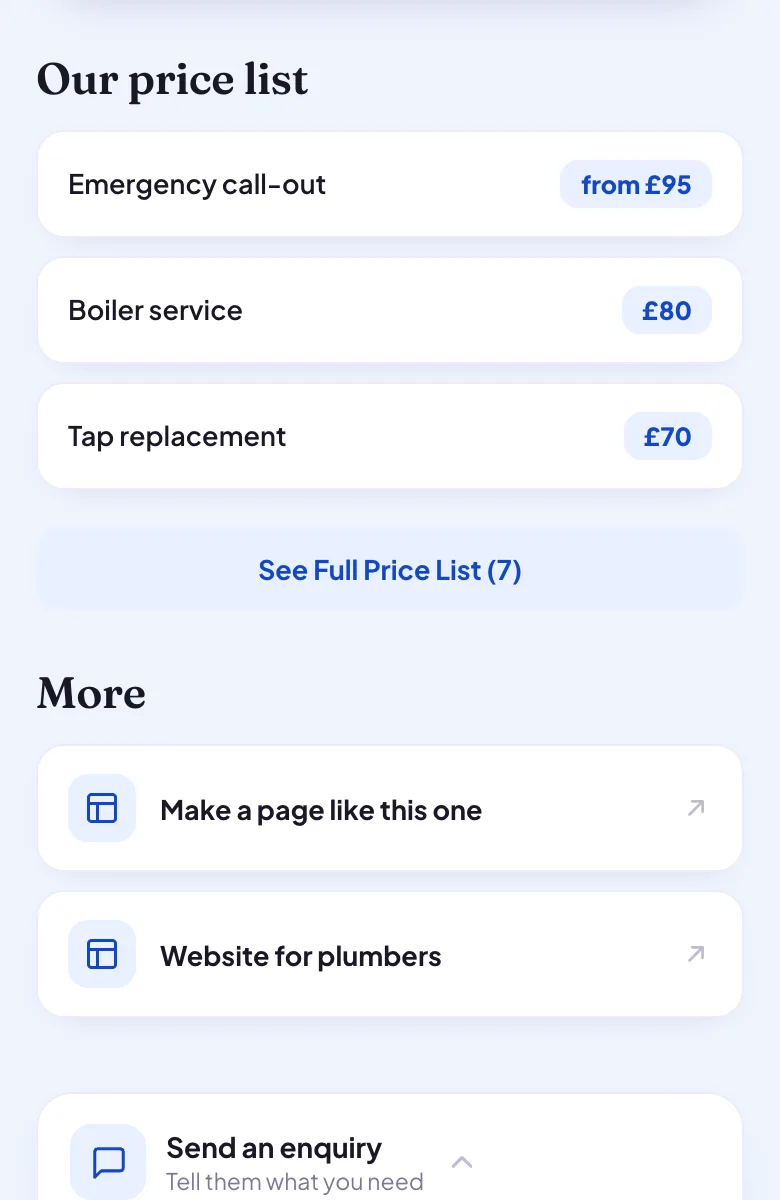
A price list for the jobs you do most, such as a tap replacement, a boiler service or an emergency call-out, answers the first question before the phone rings. Switch it off whenever you would rather quote.
Quotes with the details
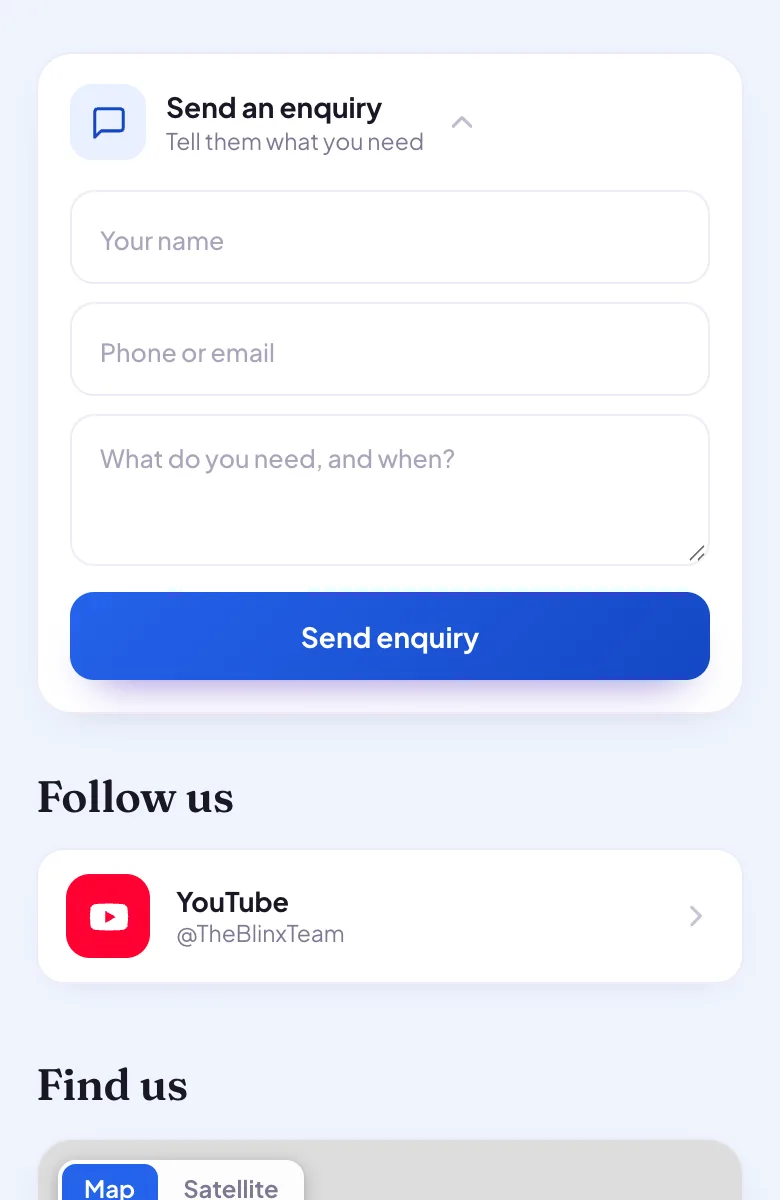
The enquiry form takes the customer's name, a phone number or email and what they need, so a bathroom quote arrives with the facts you would otherwise spend a call collecting. Seeing who sent it is part of Pro.
The towns you cover
Write them in your About text, where customers read them near the top of the page. Rewrite with AI tidies your words and is told never to add a fact you did not give it.
Filled from Google
Pick your Google listing when you sign up, and your hours, number, address, photos and rating fill the page for you.
Four moments from a working day, each beside the part of the example page it uses.
A leak at seven in the morning
The customer finds you, sees whether you are working yet, and taps Call now. There is no contact page to find and no number to copy: your phone is one tap from anywhere on the page.
Pictured: the example page, Fernhollow Plumbing, which is made up.
A bathroom quote with the details
A customer planning a new bathroom sends a message through your enquiry form, saying what they want and when. It waits in your leads inbox with their name and number on Pro, so you can price it between jobs instead of playing phone tag.
Pictured: the example page, Fernhollow Plumbing, which is made up.
Prices before the phone rings
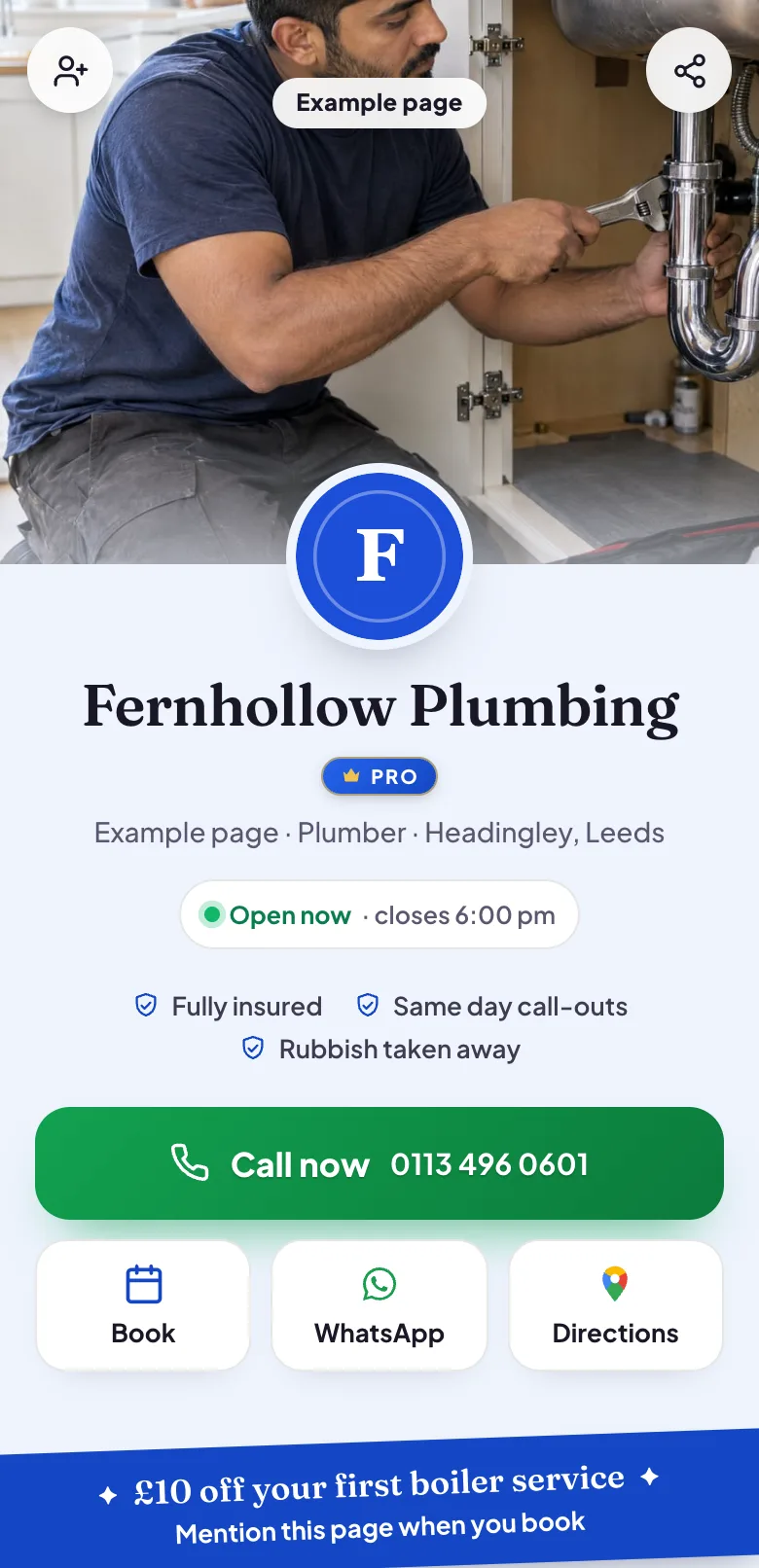
Your price list shows a boiler service, a tap replacement or an emergency call-out with what each costs. The people who would ring just to ask the price can see it, and the ones who do call already know roughly where they stand.
Pictured: the example page, Fernhollow Plumbing, which is made up.
A boiler service, booked from the page
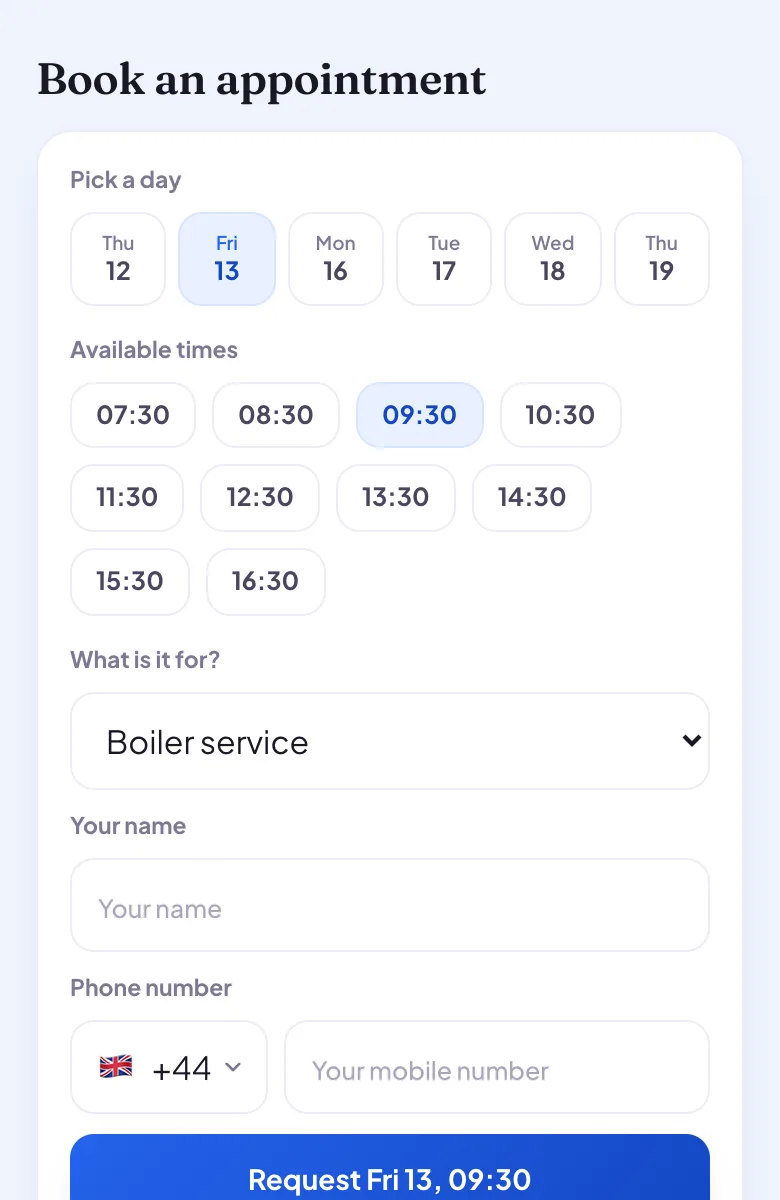
A routine job does not need a phone call. The customer picks a day and a time from your opening hours and sends a request, which waits until you confirm it in your diary, on Pro.
Pictured: the example page, Fernhollow Plumbing, which is made up.
Want a page like this one?Pick your Google listing and the page fills itself in. Publish it when you are happy.
Yes. The Call button opens the phone's dialler with your number from the bar along the bottom of the screen on every plan, and from the row of buttons near the top on Pro. There is nothing for the customer to copy or type, and each tap is counted in your page's own numbers.
Can I show the towns and postcodes I cover?
Yes, in your About text. There is no separate list of service areas, so write the towns or postcode districts you cover in a sentence, and change it whenever your patch changes. Customers read the About text near the top of the page, before they decide whether to call.
Can a customer book a job online?
They can ask for a slot. The booking picker offers days and times from your opening hours, and each request stays pending until you answer it. Confirming or declining requests, and seeing who asked, is part of Pro. Blinx does not block out holidays or sync with your own calendar.
What happens to enquiries while I am under a sink?
They wait for you. Customers can still call or send the enquiry form, and with alerts switched on in Settings your phone tells you about a new enquiry or booking request. On an iPhone, alerts work once Blinx is added to your home screen and opened from there.
Can I put the page on my van?
Yes. Every page has its own QR code, which you can save as an image for the van, your business cards and your invoices. A scan opens your page with your number, your prices and your hours, and scans are counted, so you can see whether the van brings people in.
Can I show photos of my work?
Yes. Add photos of finished jobs, a new bathroom or a tidy boiler install, to your gallery: up to 3 on the basic plan and up to 10 on Pro. Customers swipe through them and can open each one full size.
Will my Google reviews show on the page?
Yes, once you connect your Google listing. Your star rating and the first three reviews Google shows appear on your page in Google's order, with a link to read the rest on Google. Blinx shows reviews as Google provides them and never writes, edits or picks them.